claude --first-class
Most terminals tolerate agents. PounceTERM was built around them — launching, identifying, gating, watching, and measuring Claude Code is all native.
Start Claude anywhere
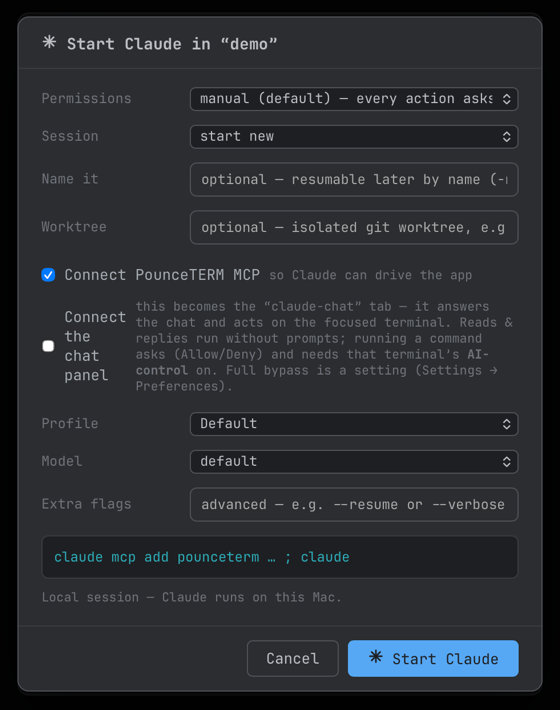
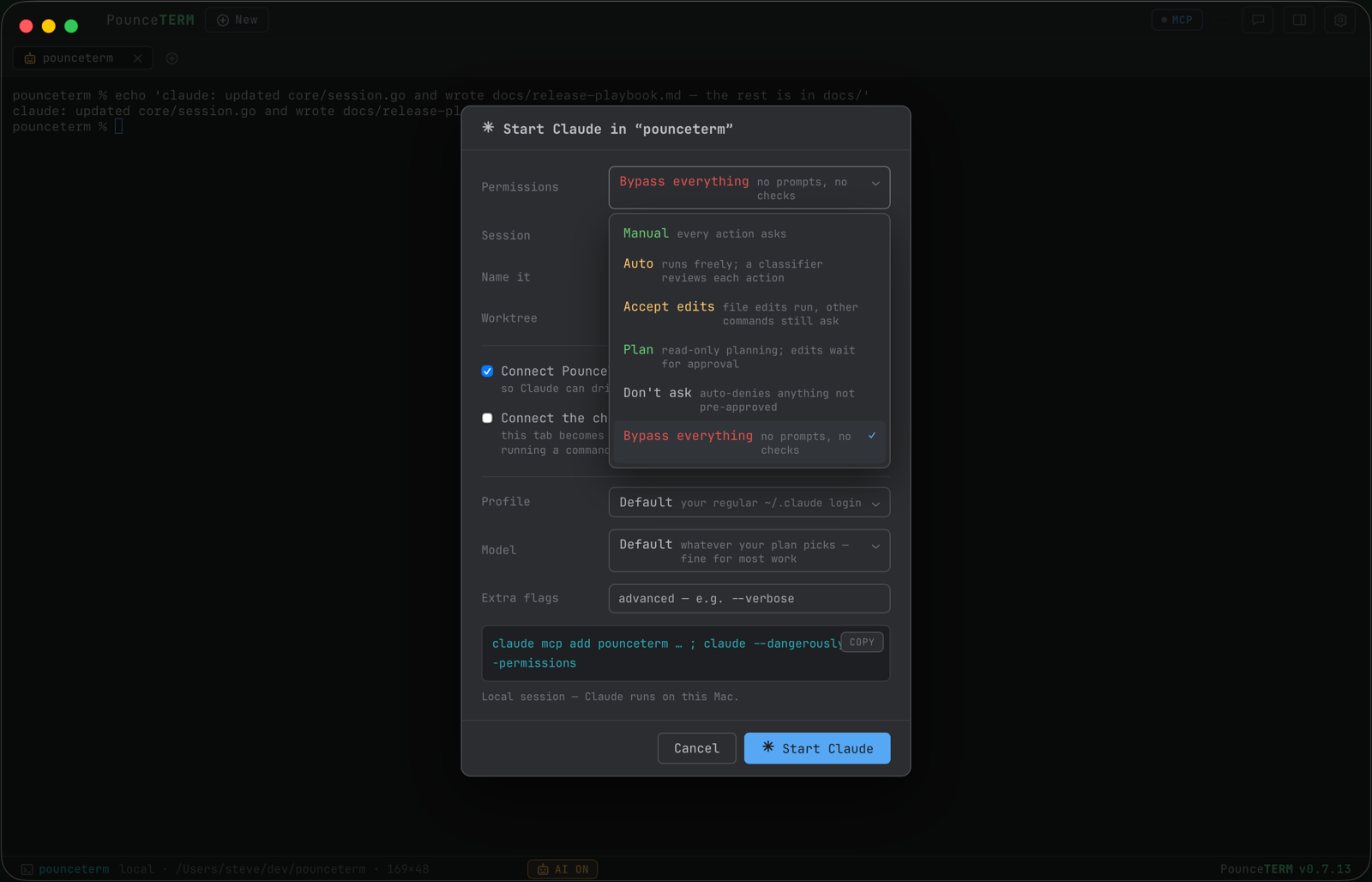
Every tab can become a Claude tab. The dialog offers all six of Claude Code's permission modes (manual, auto, accept edits, plan, don't ask, bypass), session controls (continue, the --resume picker, name it for later), an isolated --worktree launch for parallel agents, a Profile (which identity — see below), the model, extra flags, and one-click MCP connect so the new Claude can drive PounceTERM itself. A live preview shows the exact command before anything runs. On an SSH tab, the command runs on the remote host — where your shell actually is.
The pickers are colour-coded, and the colour means two different things on purpose: on Permissions it is risk — green asks, amber acts on its own within limits, red skips every check — and everywhere else it is identity, so a profile keeps the same colour here, in the profile list, and in the status bar. Each choice carries a line of plain guidance (what a model is good for, what "don\u2019t ask" actually does). The panel remembers how you last launched Claude — permissions, session, model, toggles, flags, profile — and deliberately forgets the session name and worktree, which would be wrong to reuse silently.
Read the docs → Starting Claude in a tab
Claude profiles — identities per tab
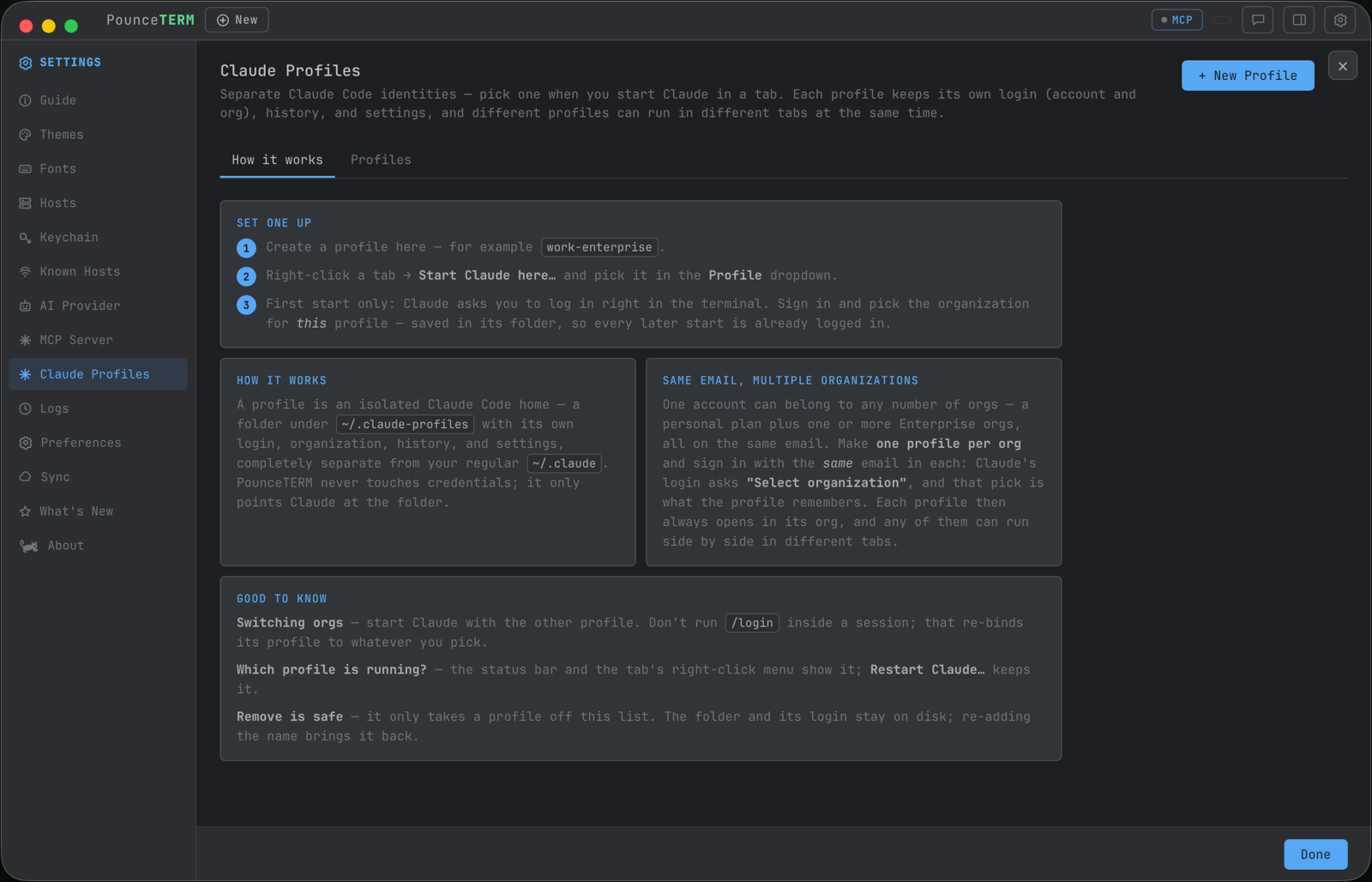
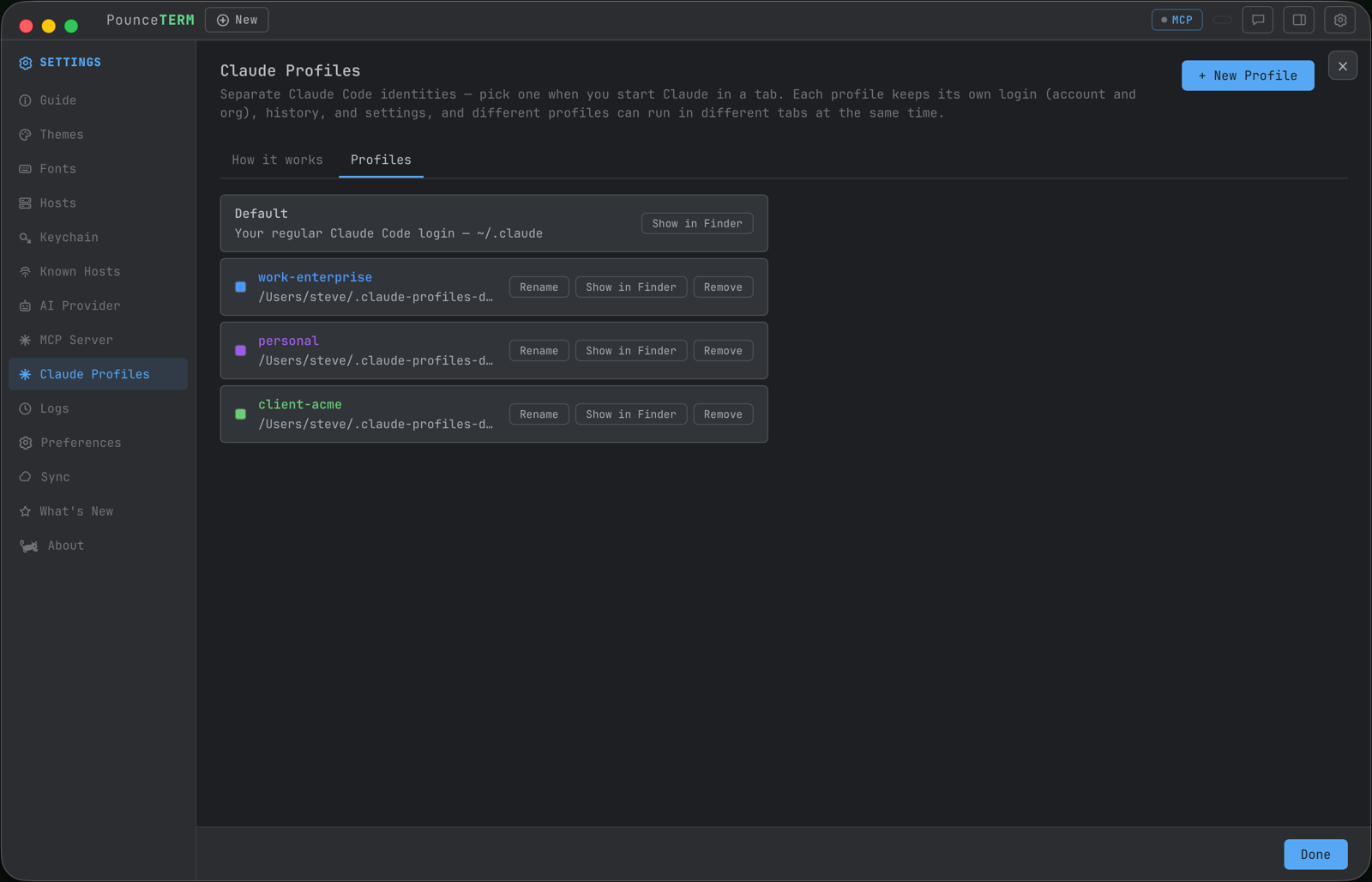
A profile is an isolated Claude Code home: its own login, organization choice, history, and settings, in its own folder under ~/.claude-profiles. One email can belong to a personal plan and several Enterprise orgs — make one profile per org, sign in once each, and every tab starts in exactly the identity you picked. Work-Claude and personal-Claude run side by side.
PounceTERM never touches credentials or the keychain; it only points Claude at a folder. Every profile carries its own colour — one of eight, assigned when you create it and yours to change — and that colour follows it through the launch panel, the profile list and the status bar, so two identities are never confusable at a glance. The status bar reads Claude · work-enterprise while it runs, and the tab's right-click menu shows the live identity — verified against the actual process, not a guess.
Read the docs → Claude profiles: separate accounts and orgs
watch it — two orgs, one email, running side by side:
The AI-control gate
The rule that makes agentic work calm: Claude can look, and Claude can type — but running takes your say-so. Reading the screen and scrollback is free. Drafting a command into your input line is allowed — it sits there until you press Enter. Executing needs the per-tab AI-control toggle: off by default, flipped only by a human (it is deliberately not an MCP tool, so an agent can never grant itself execution), and refused entirely on hosts you mark "never allow AI execution".
Read the docs → AI control · MCP server & security
The sidebar chat
⇧⌘J opens a chat that knows what you're looking at — every message carries a snapshot of the focused terminal. Replies render Markdown and Mermaid; gated tools raise their Allow/Deny cards inline; and it runs on a connected Claude Code session or directly on your own API key (OpenAI, Anthropic, Google, Ollama, or a gateway).
Read the docs → The chat panel · Bring your own AI
Remote agents, local tools
A Claude running on your build box can still drive PounceTERM: every SSH session opens an automatic reverse forward, so the remote host's 127.0.0.1:7460 tunnels back to your Mac. Loopback-bound on both ends, with an opt-in bearer token for shared hosts. Works beautifully over Tailscale.
Read the docs → The SSH tunnel · Tailscale
Claude-to-Claude relay
Two Claude sessions — local or remote — can pass messages through PounceTERM while you watch and moderate every exchange. Agent hand-offs without copy-paste, and without losing the human in the middle.
Read the docs → Claude-to-Claude relay
Notifications that mean something
Background tab needs you? You get a real macOS banner the moment a Claude session raises a permission prompt or a question (via Claude Code's own notification hook — not guesswork), and another when it finishes. Mute noisy tabs from their right-click menu.
Read the docs → Notifications
Read what Claude wrote — rendered
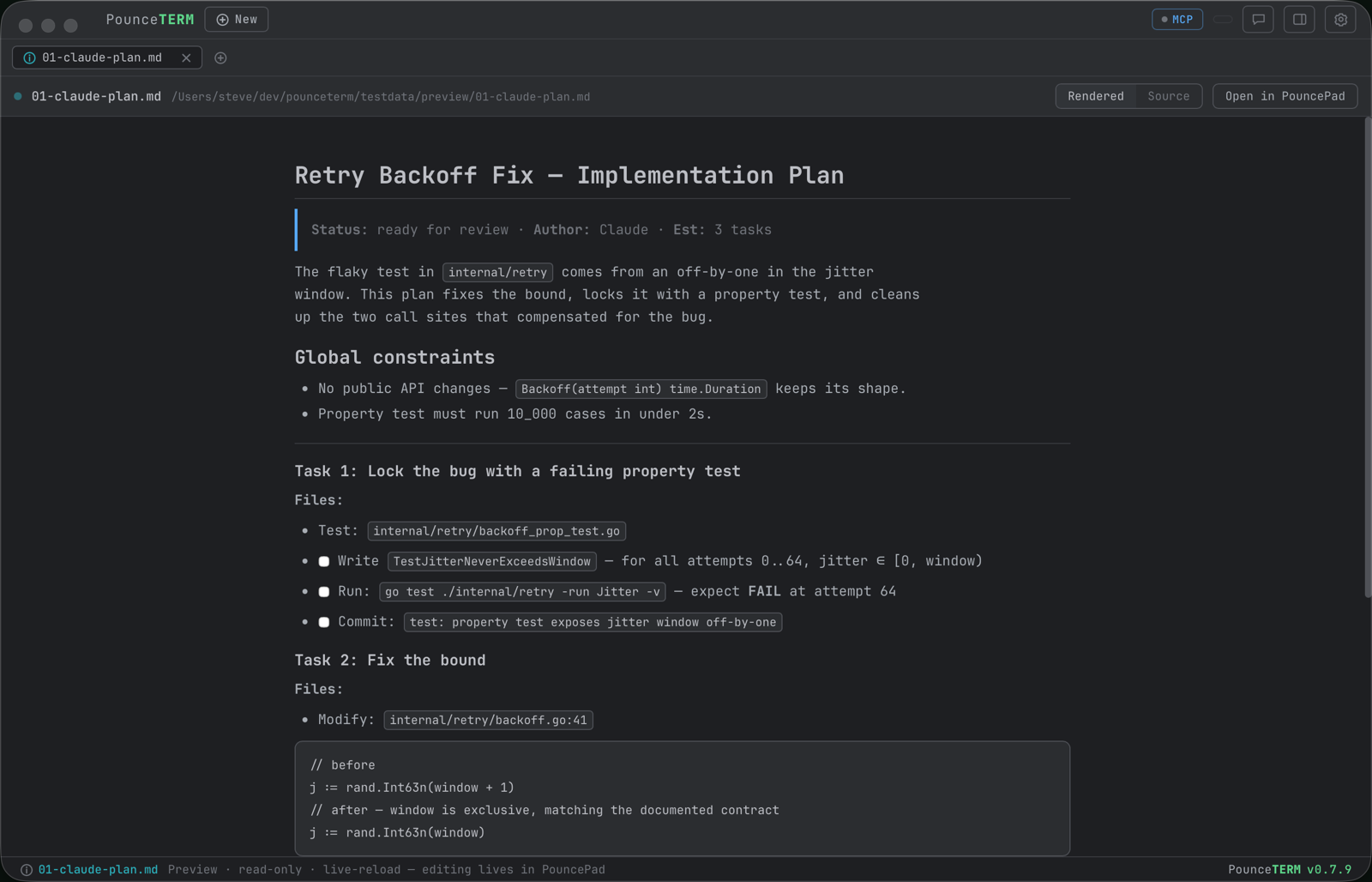
Claude produces Markdown all day: plans, specs, reviews. The Preview tab renders it right beside the terminal that produced it — headings, tables, code, and Mermaid diagrams drawn. Three ways in and no file browser: ⌘-click the path Claude just printed, press ⌘O, or let Claude open it itself with the preview_file tool. Every path Claude prints is a link — see the path menu for what else you can do with one.
It's read-only on purpose — PounceTERM views, PouncePad edits. But the tab watches the file, so the loop closes anyway: click Open in PouncePad, edit, save, and the rendered view updates itself. Same while Claude keeps writing. A Rendered ⇄ Source toggle gives you the raw text to copy.
Read the docs → Preview tab: a browser for Markdown
Session Stats
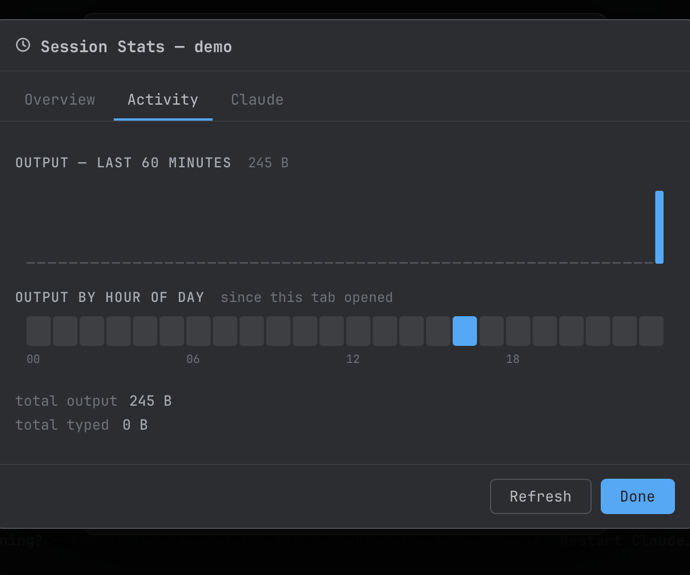
Right-click a tab → Session Stats… for a fresh snapshot: open time, output and typed bytes, the live process tree with memory and CPU, a minute-by-minute chart of the last hour, an hour-of-day activity strip — and a Claude view: running or not, as which profile, plus that profile's own footprint.
Read the docs → Session Stats
Try the whole loop
The use cases page plays these features as real workflows — or install and run one for real:
brew tap pounceapps/tap && brew install --cask pounceterm