a real terminal manager first
The agentic features sit on a serious foundation: real PTYs, real SSH, tmux and vim and mouse mode all working — plus the organization to run a lot of them at once.
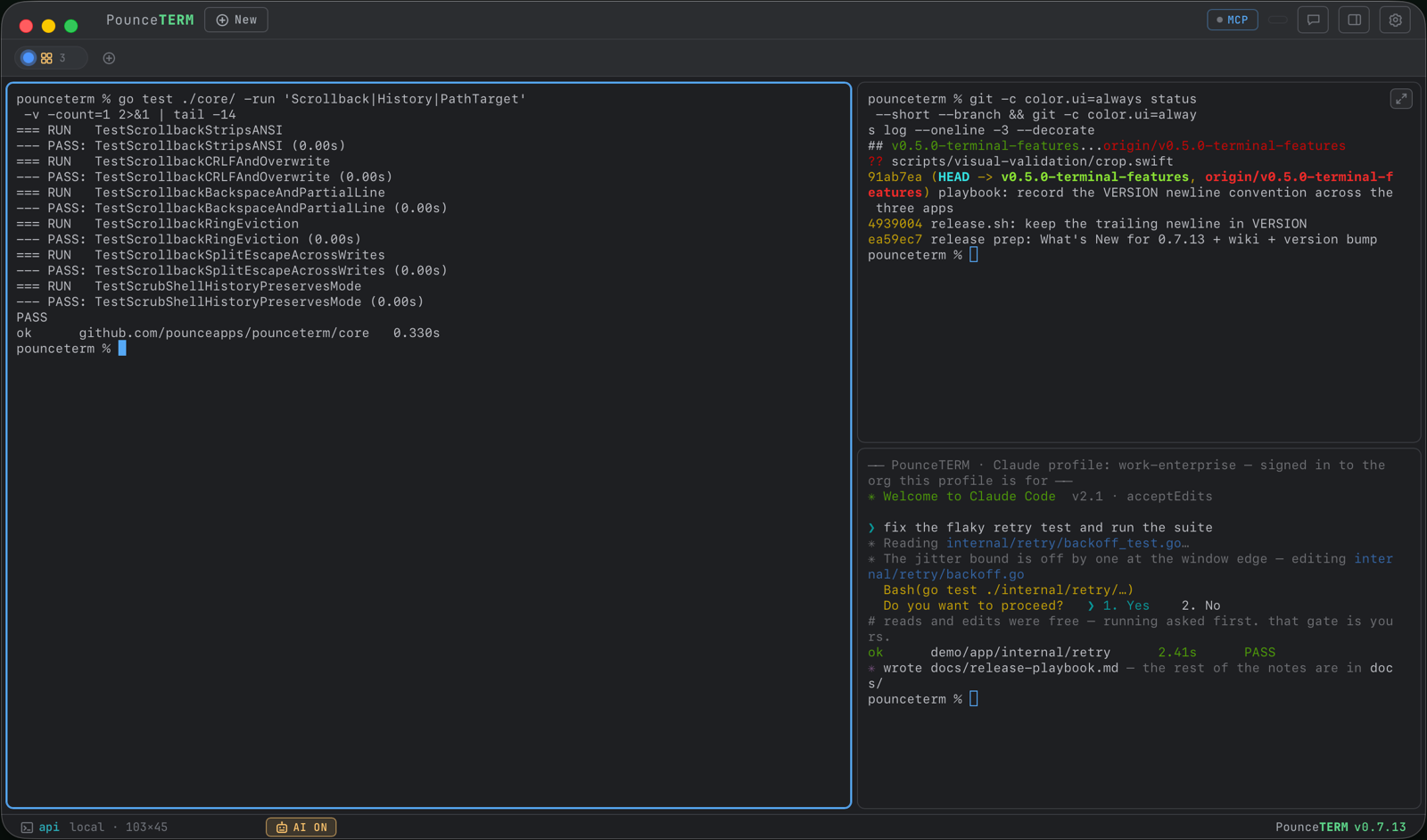
Tabs, color groups, tiled splits, broadcast
Local shells and SSH side by side, named and colored. Put related terminals in a color group: expand it as tabs, or tile it into fixed split layouts (2–5 panes) that scale with the window. Broadcast types one command into every terminal in a group — armed with a confirm, amber-bannered while live, auto-disarmed when the group shrinks. ⌘F searches the scrollback.
Read the docs → Tab groups · Keyboard shortcuts
SSH with an encrypted vault
Hosts, reusable identities (user + key/agent/password), snippets, and a connection log — AES-256-GCM encrypted at rest, key in your macOS Keychain, imported straight from ~/.ssh. First connections show the host-key fingerprint and ask before trusting (TOFU into PounceTERM's own known_hosts). Tailscale hosts connect by IP or MagicDNS, and Tailscale-SSH "check" logins pop the browser approval right in-app.
Read the docs → Hosts & identities · Host key trust · Tailscale
Built-in SFTP + a Quick-Look viewer
A dual-pane file browser on the host's existing SSH connection — no second login. Drag files or whole folders either direction (recursive, queued, with live progress), rename, delete, mkdir. The viewer previews text, Markdown, images, HTML, and streamed video, audio, and PDF; flip through a folder with ↑/↓.
Read the docs → SFTP
Copy, and every path is a link
Remote programs that copy via OSC 52 — a Claude login URL, a tmux or vim yank — land straight in your Mac clipboard, even through tmux. Copy-on-select is on by default, and right-clicking away from a link copies the whole selection or pastes.
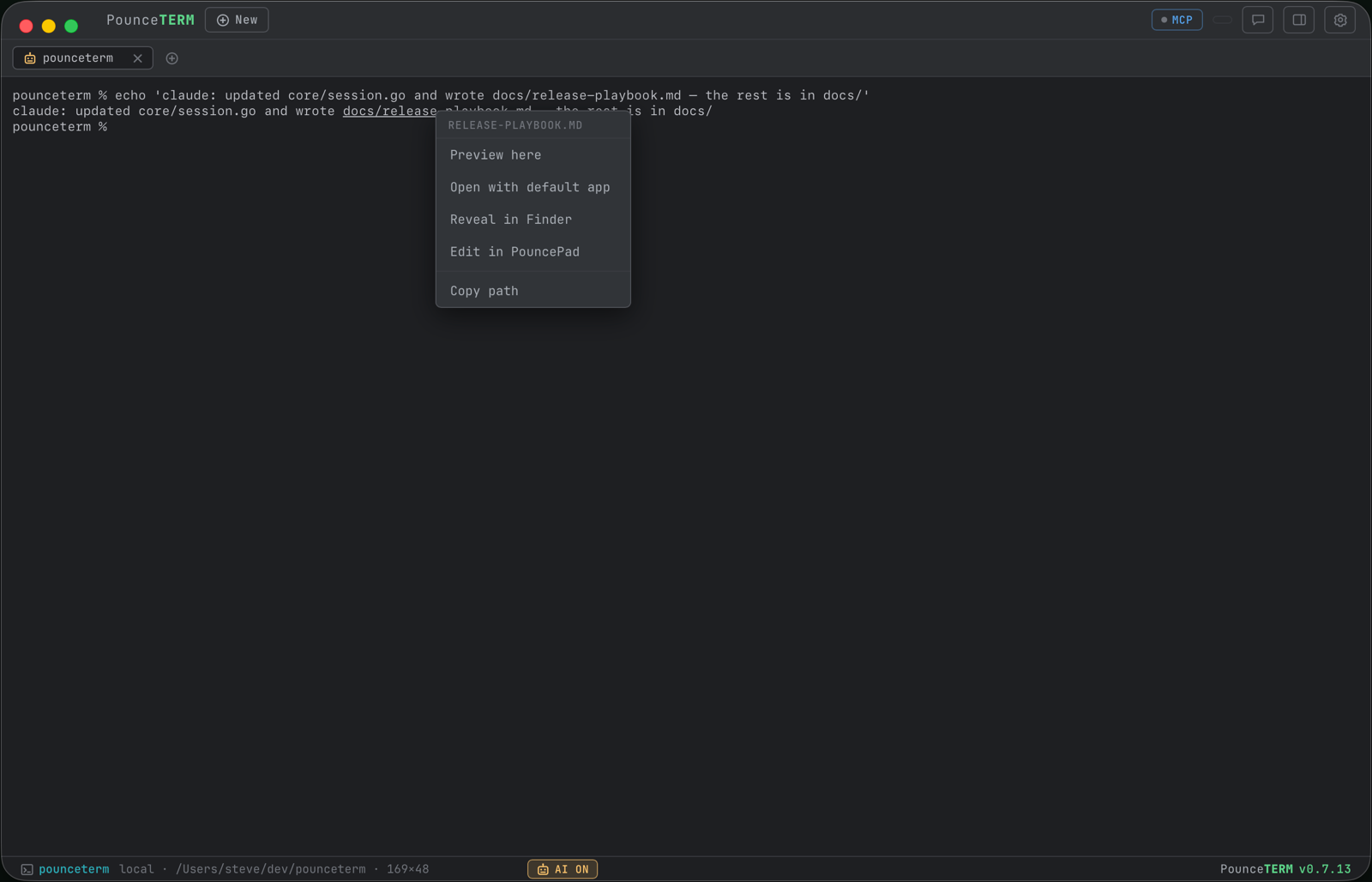
Anything in the output that exists on disk underlines: files, folders, extensionless things like Makefile, dotfiles, ~/ and relative paths alike. ⌘-click takes the obvious action — text we can render opens the Preview tab, everything else opens in Finder — and right-clicking the link offers the rest: Preview here, Open with default app, Reveal in Finder, Edit in PouncePad, Copy path. Prose that merely looks like a path never underlines.
Read the docs → Copying & clickable links · Preview tab
History you control
Hover any entry in the History rail for copy and trash. Deleting tells you what will go before it goes — how many copies PounceTERM holds, how many are in your shell's history file, whether an open terminal could write it back — then removes every copy, rewrites the file atomically and keeps its permissions. There is deliberately no backup file; one holding the secret you just deleted would defeat the point.
Or never record it: right-click a tab → Private terminal. Nothing from that tab enters PounceTERM's history, including commands Claude runs there, and the shell is told to stop writing its own. Past history still works — ↑ recalls everything as before.
Read the docs → Deleting history, and private terminals
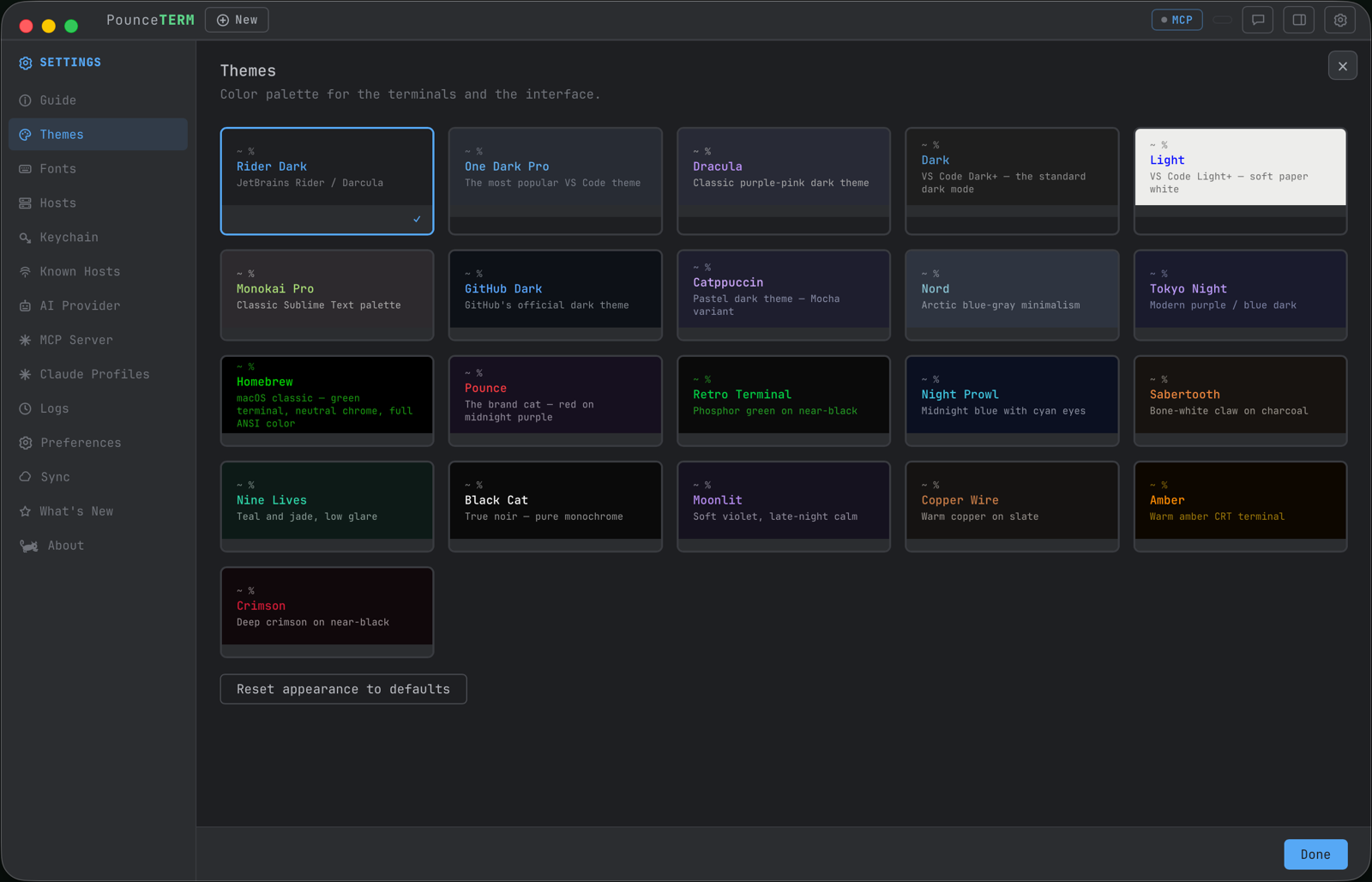
Themes and every font you own
Phosphor greens, warm ambers, pastels — plus a font picker that lists every monospace font installed on your Mac, for the terminal and the UI separately. Live preview cards; everything applies the moment you click it.
Read the docs → Themes, fonts, and the side rail
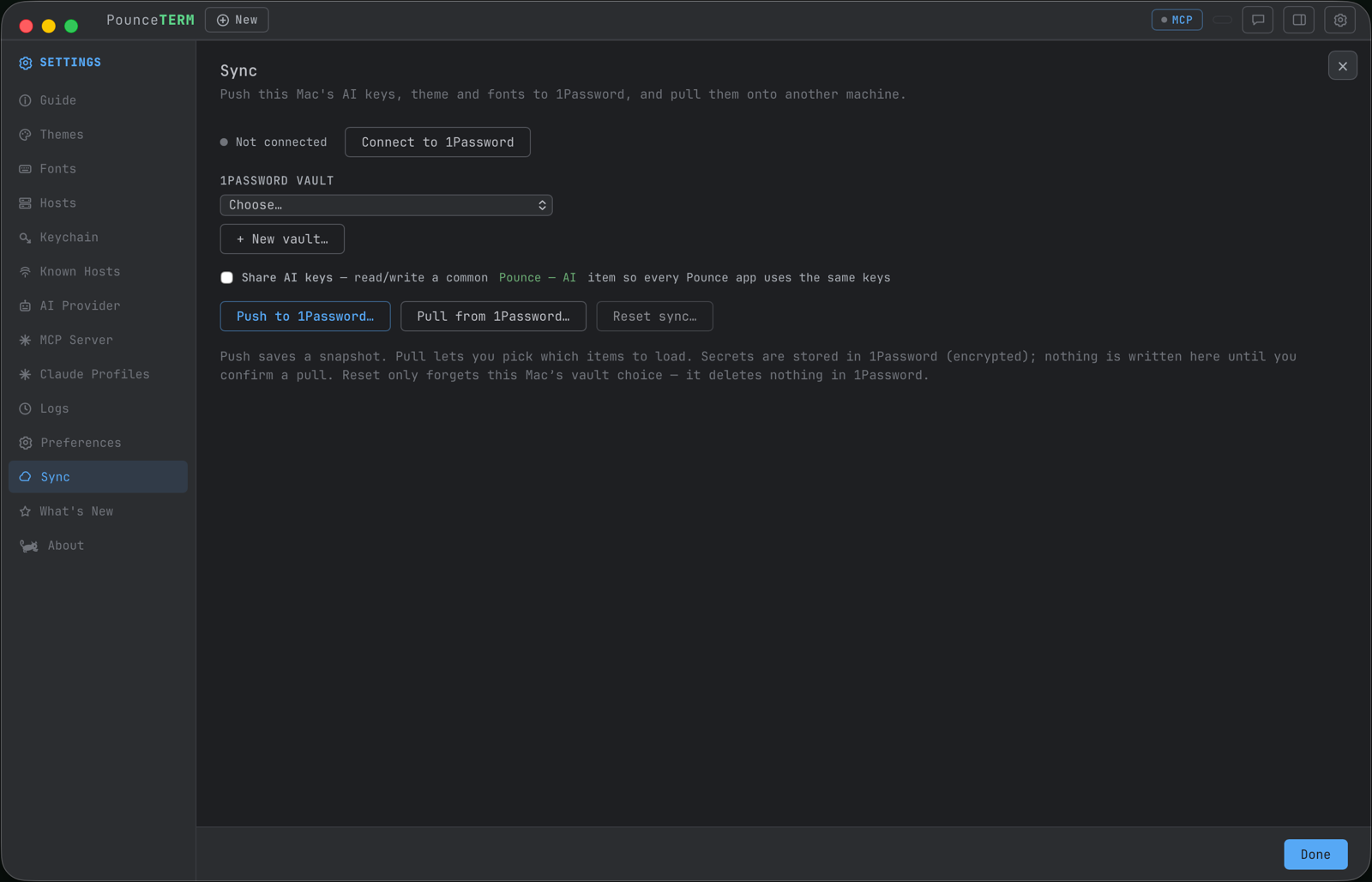
Your setup, on every Mac
Settings → Sync pushes your AI keys, theme, and fonts into a 1Password vault you choose (via the 1Password CLI); another Mac pulls them out with a masked, pick-what-applies diff. 1Password does the encryption and the syncing — PounceTERM never runs its own cloud.
Read the docs → Sync with 1Password
Notifications & the quiet details
Background terminals ping you when they finish or when a Claude needs you — at most once until you look back. Confirm-on-quit protects live sessions. New terminals start in your home folder (or a default you pick). The MCP server binds loopback only, with an opt-in bearer token. It's the little things.
Read the docs → Notifications · Settings tour · Security model
screencapture — in the app
Install it
brew tap pounceapps/tap && brew install --cask pounceterm
Native Wails app · notarized · updates via brew upgrade · also on GitHub releases.